ORB With PDHL and Multi EMAOpen range with EMAs.
Labels are positioned a few bars to the right of the most recent candle, aligned with each moving average. This keeps the labels visually connected to their lines without overlapping price action or candles.
Motifs graphiques

TERMINAL [ DemaK ]TERMINAL is a comprehensive session and market structure indicator designed to centralize multiple key price references commonly used in intraday and session-based analysis.
The indicator combines Initial Balance zones, session-derived price levels, previous day references, and VWAP context into a single, configurable tool.
Initial Balance (IB)
TERMINAL automatically detects predefined trading sessions and identifies the Initial Balance range for the selected session type. Once the session completes, the indicator projects:
Initial Balance high and low levels
A midpoint reference
Optional projected extension levels derived from the IB range
These levels remain fixed after the session closes and extend forward to provide structured reference points for the rest of the trading period.
Session Zones
The Initial Balance area can be visually highlighted on the chart, allowing traders to clearly see the price range where early session activity occurred. Options are available to display only the most recent session or retain historical levels.
Previous Day Levels
The indicator also plots key previous day price references, such as:
High
Low
Open
Close
Optional average level
These levels extend into the current session and serve as commonly watched reference points for price interaction and reaction.
VWAP Context
TERMINAL includes optional volume-weighted average price (VWAP) lines anchored to:
Daily
Weekly
Monthly periods
VWAP levels reset automatically at the start of each new period and provide additional context for value and balance during intraday trading.
Customization
Users can configure:
Session selection and Initial Balance type
Visibility of levels, zones, projections, and labels
Visual properties such as colors, line styles, and line thickness
Whether to show only current-session data or retain historical references

Multi-Timeframe High Low Marking LinesThis indicator automatically draws clean horizontal lines at the high and low of the previous 10 periods (adjustable) for four different timeframes simultaneously: Daily, Weekly, Monthly, and Quarterly.
Perfect for marking key support/resistance levels across multiple timeframes on any chart.
Key features:
• Shows previous 10 highs and lows per timeframe (change to 5, 15, 20 etc. in settings)
• Lines extend 20 bars to the right so they remain visible (adjustable)
• Individual on/off switch for each timeframe
• Clean blue lines, max 500 lines limit respected
• Works perfectly on any chart timeframe (1-minute to monthly)
• No repainting – lines only appear after the period has closed
Use cases:
Spot major daily/weekly/monthly support & resistance at a glance
Trade breakouts and reversals with higher-timeframe confirmation
Combine with your existing strategy (ICT, SMC, price action)
Ideal for stocks, forex, crypto and futures
Settings explained:
Timeframe 1–4 → Choose any timeframe (D, W, M, 3M already preset)
Show/Hide → Turn any timeframe on or off instantly
Periods to show → How many previous highs/lows you want visible
Extend lines → How far right each line continues (default 20 bars)
Completely free to use.
If you like it, please add to favorites and leave a comment – it helps other traders find it!
Enjoy cleaner charts and stronger confluence.
Happy trading!

Market Structure [BOS/ChoCh Line & Bar-Chart]Overview
A comprehensive market structure indicator that identifies Break of Structure (BOS) and Change of Character (CHoCH) patterns - essential concepts in Smart Money trading methodology.
━━━━━━━━━━━━━━━━━━━━━━━━━━━━━━━━━━━━━━━━
🔹 KEY FEATURES
Two detection modes: Swing-based (High/Low) and Line Chart-based (Close)
Automatic HH/LL/LH/HL labeling with price and percentage change
BOS (Break of Structure) for trend continuation
CHoCH (Change of Character) for trend reversals
Market Structure Candle Coloring (MSC)
Optional Line Chart overlay
Fully customizable colors and display options
Built-in alerts for BOS and CHoCH events
━━━━━━━━━━━━━━━━━━━━━━━━━━━━━━━━━━━━━━━━
🔹 DETECTION MODES
Swings Mode
Uses candlestick highs and lows to identify swing points. This is the traditional approach and works well for most trading styles.
Line Chart Mode
Uses closing prices only to identify peaks and troughs - similar to how a line chart displays price action. This mode filters out wicks and can provide cleaner structure identification.
━━━━━━━━━━━━━━━━━━━━━━━━━━━━━━━━━━━━━━━━
🔹 STRUCTURE LABELS
HH (Higher High) - Price made a new high above the previous high → Bullish
HL (Higher Low) - Price made a higher low → Bullish
LH (Lower High) - Price failed to make a new high → Bearish
LL (Lower Low) - Price made a new low below the previous low → Bearish
━━━━━━━━━━━━━━━━━━━━━━━━━━━━━━━━━━━━━━━━
🔹 BOS vs CHoCH
BOS (Break of Structure)
A continuation signal. Occurs when price breaks a key level in the direction of the current trend.
Bullish BOS: Price closes above the last swing high during an uptrend
Bearish BOS: Price closes below the last swing low during a downtrend
CHoCH (Change of Character)
A reversal signal. Occurs when price breaks the key level that would invalidate the current trend.
Bullish CHoCH: During a downtrend, price closes above the high that produced the last Lower Low
Bearish CHoCH: During an uptrend, price closes below the low that produced the last Higher High
━━━━━━━━━━━━━━━━━━━━━━━━━━━━━━━━━━━━━━━━
🔹 CANDLE COLORING (MSC)
When enabled, candles are colored based on the current market structure trend:
Bullish trend: Candles colored in the bullish color
Bearish trend: Candles colored in the bearish color
Trend-conforming candles appear solid, counter-trend candles appear faded
Note: For best results, go to Chart Settings → Symbol and set Body/Border/Wick colors to transparent.
━━━━━━━━━━━━━━━━━━━━━━━━━━━━━━━━━━━━━━━━
🔹 SETTINGS
Market Structure Settings
Detection Mode - Choose between Swings or Line Chart
Swing Length - Sensitivity of pivot detection (higher = less sensitive)
Show BOS / Show CHoCH - Toggle display of each pattern type
Line Chart Display
Show Line Chart - Display the close-based line overlay
Line Chart Color / Width - Customize appearance
Labels & Extra Data
Show HH/LL/LH/HL Labels - Toggle swing point labels
Show Price at Pivots - Display price values
Show % Change - Display percentage change between swings
━━━━━━━━━━━━━━━━━━━━━━━━━━━━━━━━━━━━━━━━
🔹 ALERTS
The indicator includes alerts for:
Bullish/Bearish BOS
Bullish/Bearish CHoCH
━━━━━━━━━━━━━━━━━━━━━━━━━━━━━━━━━━━━━━━━
🔹 USAGE TIPS
Use higher Swing Length values on higher timeframes to filter noise
CHoCH signals potential trend reversals - consider waiting for confirmation
BOS signals trend continuation - can be used for entries in the trend direction
Combine with other confluence factors like support/resistance, order blocks, or volume analysis
The Line Chart mode can help identify structure on volatile instruments where wicks create noise
For best display of bar coloring set Visual Order -> Bring to Front

Key High/Low liquidity @sheershThe Key High/Low ICT by @sheersh169sharma indicator is designed to identify key liquidity levels across multiple timeframes and custom trading sessions. It provides precise visualization of historical highs and lows to assist in technical analysis.
## Key Features
* Multi-Timeframe Support: Automatically plots Previous Day, Week, 4-Hour, and 1-Hour levels.
* Custom Sessions: Supports up to 6 independently configurable time windows.
* Precise Anchoring: Lines originate exactly from the time the high or low formed.
* Mitigation Logic: Options to terminate lines upon price interaction or extend them indefinitely.
## Configuration Guide
### Standard Timeframes
Users can toggle and customize the following levels:
* Previous Day High/Low
* Previous Week High/Low
* Previous 4-Hour High/Low
* Previous 1-Hour High/Low
Each level allows for customization of visibility, color, and line style (Solid, Dashed, Dotted).
### Custom Sessions
The indicator supports 6 distinct custom sessions, ideal for defining specific market hours (e.g., Asia, London, New York).
Setup Instructions:
1. Navigate to the desired Session group in settings (e.g., Session 1).
2. Enable the session.
3. Define the time range in HHMM-HHMM format (e.g., 0930-1600).
4. Assign custom labels for identification.
5. Select line colors and styles.
### Extension Logic
The "Extend until Mitigated Only" setting controls how lines are drawn:
* Disabled (Default): Lines extend from the custom timeframe to the current chart bar.
* Enabled: Lines terminate strictly at the point where price touches the level.
### Visual Settings
* Line Width: Adjusts the thickness of all indicator lines globally.
* Labels: Text labels are positioned to the right of the lines to maintain chart clarity.

Power Law of Diminishing Returns for BTC:USDTThis is a script to see if the Law of Diminshining Returns is applicable to BTC/USD

Smart S/R Levels [Stansbooth]
Introducing the Ultimate Support & Resistance Indicator for Live Market Analysis!
Unlock the power of real-time market insights with our cutting-edge Support & Resistance Indicator! Designed for traders who demand precision and clarity, this tool automatically plots key support and resistance levels on your chart, ensuring you never miss crucial price action points.
🚀 Key Features:
Real-Time Tracking: Accurately identifies and updates support & resistance levels as market conditions evolve.
Easy-to-Use: Simple integration into your TradingView charts with no complicated setup.
Customizable Alerts : Get notified when the price approaches key levels for actionable trading opportunities.
Accurate & Reliable : Built using advanced algorithms for pinpoint precision in real-time market conditions.
Time-Saving: Automatically draws support and resistance lines, so you can focus on strategy and execution.
Whether you’re a day trader, swing trader, or a long-term investor, this indicator is designed to give you the edge by highlighting the most important levels for price reversals and breakouts.
Start trading smarter today with the Support & Resistance Indicator —your ultimate market companion!

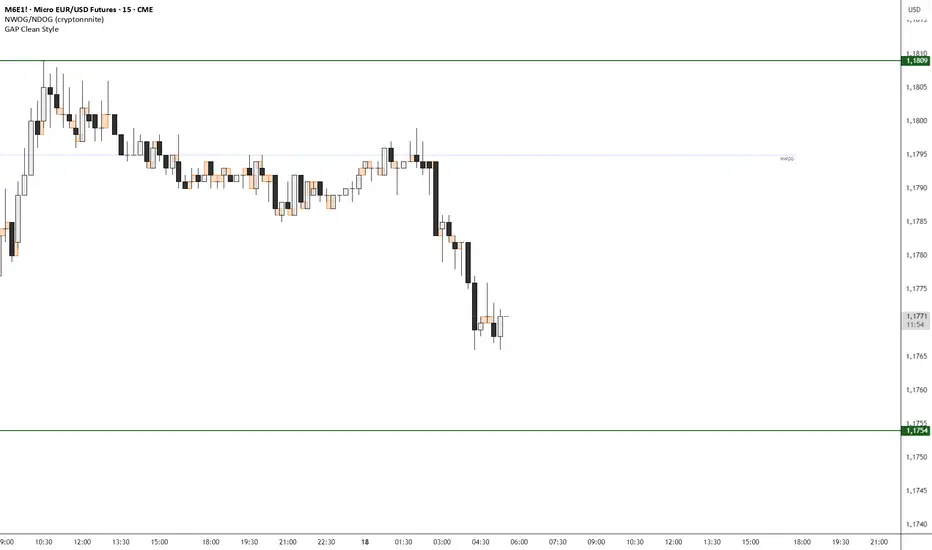
GAP Clean StyleIt simply indicates the gaps between closing/opening candles, without taking wicks into account.
Anti-Climax and DecelerationThis indicator detects high-probability 3-bar price sequences to highlight potential market turning points, continuations, and expansions. It identifies four types of triangle patterns based on the relationship between three consecutive bars:
1. Break Triangles
Signal potential reversals after a short sequence.
Example: Bear → Bear → Bull or Bull → Bull → Bear.
Plotted as Green (UP) / Red (DOWN) triangles.
2. Compression Triangles
Detect inside / absorption setups where price is consolidating before a possible directional move.
Example: Bars staying within Bar 1’s high/low range.
Plotted as Orange dots.
3. Expansion Triangles
Identify strong continuation moves, where each bar breaks the high/low of the previous bar in the same direction.
Plotted as Purple dots.
Features:
Non-repainting, bar-close confirmed signals.
Works on any timeframe.
Easy visual cues for Break, Compression, and Expansion patterns.
Designed to integrate with SMC concepts, FVG, or Swing Point analysis.
How to Use:
Look for triangle or dot signals at key support/resistance or supply/demand zones.
Combine with trend direction or higher timeframe bias for higher-probability trades.
Use Break signals for reversal setups, Compression signals for absorption or liquidity hunts, and Expansion signals for strong trend continuation.

HMA1//@version=5
strategy("黄金 HMA + SuperTrend 趋势增强策略", overlay=true, initial_capital=10000, default_qty_type=strategy.percent_of_equity, default_qty_value=10)
// --- 1. 输入参数 ---
// HMA 参数
hmaLen = input.int(55, "HMA 长度", minval=1, group="HMA 设置")
// SuperTrend 参数
stFactor = input.float(3.0, "SuperTrend 乘数", step=0.1, group="SuperTrend 设置")
stPeriod = input.int(10, "SuperTrend ATR 周期", group="SuperTrend 设置")
// 离场设置
useAtrSl = input.bool(true, "启用 ATR 动态止损", group="风险管理")
atrSlMult = input.float(2.0, "止损 ATR 倍数", step=0.1, group="风险管理")
// --- 2. 指标计算 ---
// 计算 HMA
hmaValue = ta.hma(close, hmaLen)
// 计算 SuperTrend
= ta.supertrend(stFactor, stPeriod)
// 计算 ATR(用于止损)
atr = ta.atr(14)
// --- 3. 绘图 ---
plot(hmaValue, "HMA 趋势线", color=hmaValue > hmaValue ? color.green : color.red, linewidth=2)
plot(stValue, "SuperTrend 线", color=stDirection < 0 ? color.new(color.teal, 0) : color.new(color.maroon, 0), linewidth=2)
// --- 4. 交易逻辑 ---
// 做多条件:
// 1. 价格在 HMA 之上 且 HMA 正在向上拐头
// 2. SuperTrend 变为看涨方向 (stDirection < 0)
longCondition = close > hmaValue and hmaValue > hmaValue and stDirection < 0
// 做空条件:
// 1. 价格在 HMA 之下 且 HMA 正在向下拐头
// 2. SuperTrend 变为看跌方向 (stDirection > 0)
shortCondition = close < hmaValue and hmaValue < hmaValue and stDirection > 0
// --- 5. 执行与止损逻辑 ---
var float longStop = na
var float shortStop = na
// 入场逻辑
if (longCondition)
longStop := close - (atr * atrSlMult)
strategy.entry("Long", strategy.long, comment="HMA+ST 多")
if (shortCondition)
shortStop := close + (atr * atrSlMult)
strategy.entry("Short", strategy.short, comment="HMA+ST 空")
// 离场逻辑:当 SuperTrend 反转或触及 ATR 止损时离场
if (strategy.position_size > 0)
strategy.exit("Exit Long", "Long", stop=longStop, limit=na, when=stDirection > 0, comment="多单离场")
if (strategy.position_size < 0)
strategy.exit("Exit Short", "Short", stop=shortStop, limit=na, when=stDirection < 0, comment="空单离场")
// 填充背景色以示趋势
fill(plot(stValue), plot(open > close ? open : close), color = stDirection < 0 ? color.new(color.green, 90) : color.new(color.red, 90))

Zone Eleven HTF Gate SweepThis indicator is designed as a simple visual framework rather than a rigid signal system. It highlights time-based structure and key alignment zones to help identify when price behavior is more likely to be active or responsive. The logic is intentionally flexible, allowing the user to apply their own discretion instead of relying on strict conditions. Its primary value is visual clarity and context, not automatic entries or exits.

CCI 34 IndicatorThis tool plots the 34 period CCI to help study momentum and price strength versus its recent average.
It is meant only for educational analysis and should not be treated as a buy/sell signal or investment advice.
Traders must use their own judgment, risk management, and additional tools before making decisions.
Short Explanation of Levels
CCI > +100
= strong upside momentum; price is trading above its recent average and demand is dominant.
CCI < −100
= strong downside momentum; price is below its recent average and selling pressure is dominant.

GS Tactical Overlay (SMC + Squeeze)designed to sit atop the 6 pillar commander. it will tell you signs for puts and calls

Navidad SharksThis indicator is NOT a signal system.
It is not designed for blind BUY/SELL execution. If you trade it like signals, you will most likely lose consistency.
What is it then?
It is a visual execution tool built around the Sharks Value Zones methodology.
The indicator helps you:
Define a value range
Wait for a valid breakout
Visualize risk (STOP) and reward (1:1) in a structured way
The indicator does not make decisions for you — it gives structure.
The trader still decides.
⚠️ Important for new users
This is NOT an automated signal tool
It only makes sense if you learn the Sharks Value Zones system inside the Sharks community
Entering trades just because a BUY or SELL label appears is not the method
This indicator provides levels and structure, not trade instructions.
🦈 Sharks Mindset
Professional traders don’t chase signals.
They repeat clear structures, disciplined execution, and controlled risk.
This indicator exists to:
bring order to your chart
remove emotional guessing
help you execute with consistency
✅ What the indicator draws
Base range / Value Zone based on the selected market session
Breakout direction (BUY or SELL) after the range
STOP zone (risk) and 1:1 target zone (reward)
Additional markers:
80% TP → price reached 80% of the target
TP ✅ / STOP ❌ → trade resolution
🧩 Inputs explained (simple)
Market
Select the session you want to trade (NY, Europe, Crypto, etc.).
This defines when the value range is calculated.
Anchor boxes from range start (bars)
How many candles the boxes extend to the right.
Higher value = longer visual boxes.
BUY/SELL label offset
Moves the BUY/SELL label left or right (visual only).
TP/STOP label offset
Moves TP / STOP / 80% labels (visual only).
ENTRY TICKS (number of breakout ticks)
Filters weak breakouts.
0 = instant breakout (more signals, more sensitivity)
3–5 ticks recommended for Forex
Indices and crypto may require higher values depending on volatility
Use 2nd opportunity
If the first trade hits STOP, the system may allow a second structured attempt on the opposite break (if enabled).
This is part of the Sharks methodology, not revenge trading.
🧠 How to use it correctly
Learn the Sharks Value Zones system
Use the indicator as a map, not a signal
Combine structure + context + risk management
==========================================

RF True Structure Engine PROD. V1RF True Structure Engine V1 is a fractal–based market structure indicator that identifies the current active swing leg and bias in real time. It automatically tracks Strong/Weak Highs and Lows, marks MSS (Market Structure Shifts) and BOS (Breaks of Structure) using candle-close confirmation, and plots clean right-side structure levels with an optional midline for quick leg context.
It also includes an optional HTF structure overlay and a compact multi-timeframe bias table (up to 5 timeframes) so you can instantly see whether higher/lower timeframes are bullish or bearish.
Built for clarity and consistency — structure first, noise filtered out.

Custom ORB (Adjustable Time + Alerts)Opening range Breakout for the current day only. Time frame and be adjusted for first 15 min, 30 min, e.g., 9:30 am to 9:45 am or to 10 am, etc. You can add price alerts for high and low. You can also change the color of solid lines.

Minervini Scanner [MarketSmith RS] (up to 40 tickers)"Find the Leaders. Ignore the Laggards."
This dashboard is a complete Trend & Momentum Command Center designed to replicate the manual screening process of top growth traders like Mark Minervini and William O'Neil. It scans up to 40 tickers simultaneously to identify "Stage 2" super-performance candidates while filtering out broken trends and "zombie" stocks.
Core Features
1. The "Trend Template" Engine The scanner automatically checks every ticker against 7 strict trend criteria to verify a healthy Stage 2 Uptrend:
Price > 150-Day & 200-Day Moving Averages.
150-Day MA > 200-Day MA.
200-Day MA is Trending Up (at least 1 month).
50-Day MA > 150-Day & 200-Day MAs.
Price > 50-Day MA (Momentum Check).
Price > 25% above 52-Week Low.
Price within 25% of 52-Week High.
2. Institutional RS Rating (0-99) Unlike standard "Relative Strength" indicators that just compare price to SPY, this script uses the IBD/MarketSmith Methodology:
Weighted Performance: It calculates a composite score based on price performance over the last 12 months, with a heavy 40% weight on the most recent quarter.
Percentile Proxy: It maps this weighted score to a 1-99 rating scale using fixed constants derived from historical market leader data.
90-99 (Blue): Market Leaders (Top 10%).
80-89 (Green): Institutional Candidates.
< 70 (Red): Laggards.
How to Read the Dashboard
STAGE 2 (Lime Green): The "Holy Grail" signal. The stock meets 7/7 trend criteria. It is fundamentally sound and ready for a setup (like a VCP).
SETTING UP (Yellow): Score 5/7 or 6/7. The trend is developing but not perfect (e.g., 200MA might still be flat). Watch for improvements.
AVOID (Maroon): Broken trend. Moving averages are stacked downward. Do not trade long.
RS Rating: Look for the "Power Combo": A STAGE 2 trend status combined with an RS Rating of 80+. This indicates the stock is not only going up but is outperforming the vast majority of the market.
Settings & Customization
40-Ticker Watchlist: Monitor your entire focus list in one panel.
Adjustable Constants: You can fine-tune the RS Rating thresholds (p99, p90) to adapt to Bull or Bear market volatility.
MA Type: Switch between SMA (Simple) and EMA (Exponential) moving averages.
Disclaimer: This tool provides technical analysis data, not financial advice. Always manage risk.

NTA Directional Price Pressure (DPP)NTA Directional Pressure Bar
by NexTrade Academy
NTA Directional Pressure Bar is a contextual market analysis tool developed by NexTrade Academy, designed to quantify real-time directional price pressure by measuring the efficiency and dominance of bullish versus bearish price movement.
This script is not a trading system and does not generate buy or sell signals. Its purpose is to act as a bias confirmation and market context engine, helping traders understand who is controlling the market right now.
🔍 What does NTA Directional Pressure Bar do?
This indicator analyzes pure price action to:
Measure bullish vs bearish pressure using candle body efficiency
Quantify directional dominance in real time
Identify when one side (buyers or sellers) is in control
Filter low-quality conditions and non-operable market phases
The result is a clean, visual pressure bar that reflects institutional-style market control, without unnecessary noise.
📊 How to read it
Green dominance → Bullish pressure is in control
Red dominance → Bearish pressure is in control
Balanced / flat zones → No clear dominance (range or compression)
This tool does not trigger trades.
It enables or disables directional bias.
🧠 Institutional Use Case
NTA Directional Pressure Bar is designed to be used as:
A bias confirmation layer
A context filter before execution
A confluence tool alongside structure, liquidity, or Wyckoff-based analysis
It integrates naturally with frameworks such as:
Wyckoff NTA – Institutional Context Engine
NTC (NexTrade Concept) execution models
⚠️ Important Notice
This script does not guarantee results, is not automated, and is not financial advice.
It must be used strictly as a contextual analysis tool, always combined with a structured trading plan and proper risk management.
✅ Recommended Use
Use NTA Directional Pressure Bar to:
Confirm directional bias
Avoid trading against dominant pressure
Stay aligned with market control
Improve trade selectivity and discipline
Developed by NexTrade Academy
Institutional Trading · Market Structure · Context First

EURUSD Pre-London Open Range MarkerEURUSD Pre-London Open Range Marker
This script marks the high and low formed in the pre-London open period on EURUSD, and extends those levels forward once London opens.
It is intended as a neutral reference tool for traders who pay attention to time-based structure around the London session.
What it does
Automatically tracks London time, including daylight-saving changes
Identifies the pre-London open range
Plots the high and low of that range
Extends those levels forward from the London open
Displays the range size (pips)
What it does not do
No trade signals
No alerts
No entries, stops, or targets
No performance claims
This script provides structure only. Interpretation and execution are left to the user.
Intended use
This tool is for traders who:
Trade EURUSD
Care about London session behaviour
Prefer simple, time-based reference levels over indicators
Scope and design
Hard-coded for EURUSD
Pre-London open window is fixed and not user-configurable
Built to prioritise consistency and repeatability over flexibility
Additional context
I use this pre-London range as part of a fully documented, rules-based EURUSD trading system focused on risk management and repeatable execution which I have traded for two years.
The strategy itself is not included here.
Disclaimer
This script is provided for educational and reference purposes only.
All trading involves risk. You are responsible for your own decisions.
One-line link
For those interested in how this range is used within a complete, rules-based EURUSD trading system, further documentation is available here:

Quasimodo (QML) Pattern [Kodexius]Quasimodo (QML) Pattern is a market structure indicator that automatically detects Bullish and Bearish Quasimodo formations using confirmed swing pivots, then visualizes the full structure directly on the chart. The script focuses on the classic liquidity-grab narrative of the QML: a sweep beyond a prior swing (the Head) followed by a decisive market structure break (MSB), leaving behind a clearly defined reaction zone between the Left Shoulder and the Head.
Detection is built on pivot highs and lows, so patterns are evaluated only after swing points are validated. Once a valid 4 pivot sequence is identified, the indicator draws the pattern legs, highlights the internal triangle area to emphasize the grab, marks the MSB leg, and projects a QML zone that can be used as a potential area of interest for retests.
This tool is designed for traders who work with structure, liquidity concepts, and reversal/continuation triggers, and who want a clean, repeatable QML visualization without manually marking swings.
🔹 Features
🔸 Confirmed Pivot Based Structure Mapping
The script uses classic built-in pivot logic to detect swing highs and swing lows.
🔸 Automatic Bullish and Bearish QML Detection
The indicator evaluates the most recent 4 pivots and checks for a valid alternating sequence (High-Low-High-Low or Low-High-Low-High). When the sequence matches QML requirements, the script classifies the setup as bullish or bearish:
Bullish logic (structure reversal up):
- Left Shoulder is a pivot Low
- Head is a lower Low than the Left Shoulder (liquidity sweep)
- MSB pivot exceeds the Reaction pivot
Bearish logic (structure reversal down):
- Left Shoulder is a pivot High
- Head is a higher High than the Left Shoulder (liquidity sweep)
- MSB pivot breaks below the Reaction pivot
🔸 Full Pattern Visualization (Legs + Highlighted Core)
When a pattern triggers, the script draws:
Three main legs: Left Shoulder to Reaction, Reaction to Head, Head to MSB
A shaded triangular highlight over the internal structure to make the liquidity-grab shape easy to spot at a glance
🔸 QML Zone Projection
A QML Zone box is drawn using the price range defined between the Left Shoulder and the Head, then extended to the right to remain visible as price develops. This zone is intended to act as a practical reference area for potential retests and reaction planning after MSB confirmation.
🔸 MSB Emphasis
A dotted MSB line is drawn between the Reaction point and the MSB point to visually emphasize the confirmation leg that completes the pattern logic.
🔸 Clean Point Tagging and Directional Labeling
Key points are labeled directly on the chart:
- “LS” at the Left Shoulder
- “Head” at the sweep pivot
- “MSB” at the break pivot
A directional label (“Bullish QML” or “Bearish QML”) is also printed to quickly identify the detected bias.
🔸 Configurable Visual Style
All main visual components are user configurable:
- Bullish and bearish colors
- Line width
- Label size
🔸 Efficient Update Logic
Pattern checks are only performed when a new pivot is confirmed, avoiding unnecessary repeated calculations on every bar. The most recent pattern’s projected elements (zone and label positioning) are updated as new bars print to keep the latest setup readable.
🔹 Calculations
This section summarizes the core logic used for detection and plotting.
1. Pivot Detection (Swing Highs and Lows)
The script relies on confirmed pivots using the user inputs:
Left Bars: how many bars must exist to the left of the pivot
Right Bars: how many bars must exist to the right to confirm it
float ph = ta.pivothigh(leftLen, rightLen)
float pl = ta.pivotlow(leftLen, rightLen)
When a pivot is confirmed, its true bar index is the pivot bar, not the current bar, so the script stores:
bar_index
2. Pivot Storage and History Window
Each pivot is stored as a structured object containing:
- price
- index
- isHigh (true for pivot high, false for pivot low)
A rolling history is maintained (up to 50 pivots) to keep processing stable and memory usage controlled.
3. Sequence Validation (Alternation Check)
The pattern evaluation always uses the latest 4 pivots:
p0: Left Shoulder candidate
p1: Reaction candidate
p2: Head candidate
p3: MSB candidate
Before checking bullish/bearish rules, the script enforces alternating pivot types:
bool correctSequence =
(p0.isHigh != p1.isHigh) and
(p1.isHigh != p2.isHigh) and
(p2.isHigh != p3.isHigh)
This prevents invalid structures like consecutive highs or consecutive lows from being interpreted as QML.
4. Bullish QML Conditions
A bullish QML is evaluated when the Left Shoulder is a Low:
Head must be lower than Left Shoulder (sweep)
MSB must be higher than Reaction (break)
if not p0.isHigh
if p2.price < p0.price and p3.price > p1.price
// Bullish QML confirmed
Interpretation:
p2 < p0 represents the liquidity grab below the prior swing low
p3 > p1 represents the market structure break above the reaction high
5. Bearish QML Conditions
A bearish QML is evaluated when the Left Shoulder is a High:
Head must be higher than Left Shoulder (sweep)
MSB must be lower than Reaction (break)
if p0.isHigh
if p2.price > p0.price and p3.price < p1.price
// Bearish QML confirmed
Interpretation:
p2 > p0 represents the liquidity grab above the prior swing high
p3 < p1 represents the market structure break below the reaction low
6. Drawing Logic (Structure, Highlight, Zone, Labels)
When confirmed, the script draws:
Three connecting legs (LS to Reaction, Reaction to Head, Head to MSB)
A shaded triangle using a transparent “ghost” line to enable filling
A dotted MSB emphasis line between Reaction and MSB
A QML Zone box spanning the LS to Head price range and projecting to the right
Point labels: LS, Head, MSB
A direction label: “Bullish QML” or “Bearish QML”
7. Latest Pattern Extension
To keep the newest setup readable, the script updates the most recently detected pattern by extending its projected elements as new bars print:
QML zone right edge is pushed forward
The main label x position is pushed forward
This keeps the last identified QML zone visible as price evolves, without having to redraw historical patterns on every bar.

ORB Pro: Sniper Edition [Hybrid Scanner + Smart Ranking]الوصف (Description):
🚀 ORB Pro: Sniper Edition – The Ultimate Day Trading System
The ORB Pro: Sniper Edition is not just an indicator; it is a complete algorithmic trading system designed for scalpers and day traders who trade the Opening Range Breakout (ORB) strategy.
This edition features a revolutionary "Hybrid Scanner" with "Smart Opportunity Ranking" logic that prioritizes fresh signals over old ones, ensuring you never miss a breakout.
🔥 Key Features:
Hybrid Scanner System:
Manual Mode: Monitor your own top 5 favorite stocks.
Auto Scanner Mode: Automatically scans a pre-defined list of Top 20 High-Momentum Stocks (TSLA, NVDA, AMD, COIN, MSTR, etc.) inside the code.
🧠 Sniper Ranking Logic (The Game Changer): Unlike standard scanners that show static lists, this system sorts stocks dynamically in the table based on opportunity:
🥇 Priority 1: Fresh Breakouts (RUN 🚀) that haven't hit targets yet (The Entry Zone).
🥈 Priority 2: Winning Trades (WIN ✅) that already hit targets.
🥉 Priority 3: Weak or Stopped out trades.
Advanced Strategy Logic:
Fibonacci Targets: Precision exits at 1.618, 2.0, 2.618, and 3.618 extensions.
Smart Reversal: Detects "Fakeouts" and flips the signal immediately (e.g., from CALL to PUT) to catch institutional traps.
Trend Filtering: Uses EMA 50 to filter out low-probability trades.
Risk Management:
Auto Breakeven: Moves stop-loss to entry after Target 1.
Trailing Stop: Dynamic stop-loss that follows the price action.
⚙️ How to Use:
Add the indicator to a 5-minute chart.
Go to Settings > Table System > Select "Auto Scanner".
Watch the table: Focus on the top rows showing "RUN 🚀". These are your live entry signals!
----------------------------------
🚀 مؤشر القناص: ORB Pro Sniper Edition – نظام المضاربة اللحظية المتكامل
يعتبر هذا المؤشر نظاماً آلياً متطوراً للمضاربين اللحظيين (Scalpers/Day Traders) يعتمد على استراتيجية كسر نطاق الافتتاح (ORB) الشهيرة، ولكنه معزز بخوارزميات ذكية لتصفية الفرص.
يتميز هذا الإصدار بوجود "ماسح هجين" (Hybrid Scanner) ونظام "تصنيف ذكي" يعطيك الزبدة ويعرض لك الفرص الحية فور حدوثها.
🔥 أهم المميزات:
نظام الماسح الهجين (Hybrid Scanner):
الوضع اليدوي (Manual): لمراقبة قائمتك الخاصة (5 أسهم تختارها أنت).
الماسح الآلي (Auto Scanner): يقوم المؤشر بمسح فوري لقائمة مدمجة تضم أقوى 20 سهم سيولة ومضاربة في السوق الأمريكي (مثل TSLA, NVDA, MSTR, COIN, وغيرها).
🧠 خوارزمية "القناص" للترتيب (Sniper Ranking): الجدول لا يعرض الأسهم عشوائياً، بل يركز على الفرصة الحالية:
🥇 الأولوية القصوى: للأسهم التي أعطت إشارة دخول (RUN 🚀) ولم تحقق الهدف بعد (هذه هي منطقة الدخول الذهبية).
🥈 الأولوية الثانية: للأسهم التي حققت أهدافها (WIN ✅).
🥉 الأولوية الأخيرة: للأسهم المتذبذبة أو الخاسرة.
دقة فنية عالية:
أهداف فيبوناتشي: تحديد آلي لأهداف جني الأرباح (1.618، 2.0، 2.618).
كشف الانعكاس (Reversal): يكتشف الاختراقات الكاذبة (Fakeouts) ويقلب الإشارة فوراً للدخول مع صناع السوق.
فلتر الترند: يستخدم متوسط 50 لمنع الدخول عكس الاتجاه العام.
إدارة المخاطر:
تأمين الصفقة (Breakeven): يرفع الوقف لسعر الدخول تلقائياً بعد تحقق الهدف الأول.
الوقف المتحرك: يلاحق الأرباح للحفاظ عليها.
⚙️ طريقة الاستخدام:
ضع المؤشر على فريم 5 دقائق.
من الإعدادات، اختر نظام الجدول "Auto Scanner".
راقب الجدول: ركز نظرك على الأسهم التي تظهر في أعلى القائمة بحالة "RUN 🚀".
⚠️ Disclaimer / إخلاء مسؤولية: This tool is for educational and analytical purposes only. Trading involves significant risk. Always manage your risk properly. هذه الأداة للأغراض التعليمية والتحليلية فقط. التداول ينطوي على مخاطر عالية.

EURUSD | Yield Curve Flip Strategy (2s10s State Flips)Strategy Core (Concept)
The strategy trades EURUSD exclusively when the US yield curve regime (2Y/10Y) flips into a new, clearly bullish or bearish regime. The core assumption is that re-pricing in the US yield curve (rather than individual data points) is a robust driver of USD strength or weakness and can act as a structural trigger for trend changes.
⸻
Data Basis
• Uses US 2Y Yield (TVC:US02Y) and US 10Y Yield (TVC:US10Y).
• The 2s10s curve is calculated as:
curveUS = US10Y – US2Y
• Regime assessment is based on the N-day change (default: 5 days), calculated on true rates bars (not intraday noise).
⸻
Regime Detection (Correct Bond Logic)
First, the strategy checks whether the curve has significantly steepened or flattened over the lookback period:
• Steepener if Δ(2s10s) > thrCurve (default: +0.10 percentage points = 10 bp)
• Flattener if Δ(2s10s) < −thrCurve
Next, a leg confirmation determines the specific type of steepener/flattener (default thrLeg = 5 bp):
Bull Steepener
• Curve steepens because yields fall, with the 2Y falling more (risk-off / rate-cut pricing)
Bear Steepener
• Curve steepens because yields rise, with the 10Y rising more (reflation / term-premium move)
Bull Flattener
• Curve flattens because yields fall, with the 10Y falling more (growth shock / long-end rally)
Bear Flattener
• Curve flattens because yields rise, with the 2Y rising more (hawkish repricing / front-end up)
Important: By default, a Bear Steepener is not treated as a bearish signal, unless allowBearSteepForShort is enabled.
⸻
State Machine (Memory + Flip Triggers)
The strategy maintains a persistent state variable curveState:
• +1 = bullish
• −1 = bearish
• 0 = neutral
The state is updated only on a new rates bar (daily rates when tfRates = "D"), avoiding intraday noise.
A trade is generated only on a true regime flip:
• flipToBull: new state turns bullish and the previous state was bearish (or neutral, if allowed)
• flipToBear: new state turns bearish and the previous state was bullish (or neutral, if allowed)
The option enterFromNeutral controls whether the first clear regime emerging from neutral is traded.
The option onlyOnNewRatesBar ensures signals occur only when a new rates bar is printed, providing clean timing.
⸻
Trading Rules (Entry / Exit)
There are no stops, targets, or trailing mechanisms. The strategy is a pure regime-switching / reversal system:
• On flipToBull
• Close short (“S”)
• Open long (“L”)
• On flipToBear
• Close long (“L”)
• Open short (“S”)
Positions are therefore held until the next regime flip.
⸻
Parameter Interpretation
• N: Smoothing / inertia. Smaller = faster but noisier; larger = more stable but later.
• thrCurve: Minimum curve move required to define a regime.
• thrLeg: Minimum move of the confirming leg (2Y or 10Y) to reduce misclassification.
• allowBearSteepForShort: Makes the system more aggressive (more bearish signals), but represents a different macro case.
• enterFromNeutral: Increases trade frequency by trading the first regime impulse.
⸻
What You See on the Chart
• Background shading:
• Green for bullish state
• Red for bearish state
• The curve and Δ-curve are plotted but hidden (display=none), mainly for debugging and analysis.

Market Structure HighLow + Liquidity [MaB]📊 Market Structure HighLow + Liquidity A comprehensive indicator combining precision market structure analysis with real-time liquidity zone detection, built on a custom finite-state machine architecture.
━━━━━━━━━━━━━━━━━━━━━━━━━━━━━━━━━━━━━━━━
🎯 KEY FEATURES
• Automatic Swing Detection Identifies structural High/Low points using a dual-confirmation system (minimum candles + pullback percentage)
• Smart Trend Tracking Automatically switches between Uptrend (Higher Highs & Higher Lows) and Downtrend (Lower Highs & Lower Lows)
• Breakout Alerts Visual markers for confirmed breakouts (Br↑ / Br↓) with configurable threshold
• Sequential Labeling Clear numbered labels (L1, H2, L3, H4...) showing the exact market structure progression
• Color-Coded Structure Lines
• Green: Uptrend continuation legs
• Red: Downtrend continuation legs
• Gray: Trend inversion points
• Imbalance Zones (FVG) Automatically detects Fair Value Gaps that form during impulsive moves between validated swing points
• Inducement Zones Identifies potential liquidity traps - FVGs that form before breakout confirmation, often used as stop-hunt areas
• Dynamic Zone Management Zones automatically close when price touches them, with configurable retracement sensitivity
━━━━━━━━━━━━━━━━━━━━━━━━━━━━━━━━━━━━━━━━
🔬 TECHNICAL ARCHITECTURE
This indicator does NOT rely on TradingView's built-in ta.pivothigh() / ta.pivotlow() functions.
Instead, it implements a custom finite-state machine (FSM) that manages multiple monitoring states, alternating dynamically between Uptrend and Downtrend modes based on confirmed breakouts.
Core Components:
• State Machine Engine Multiple internal states handle candidate detection, validation, and confirmation phases. The system transitions between states based on price action triggers and confirmation criteria.
• Dual-Confirmation System Each swing point must satisfy two independent filters before validation:
o Time-based filter (minimum candles)
o Price-based filter (minimum retracement %)
• Directional Breakout Logic Separate breakout detection routines for uptrend continuation, downtrend continuation, and trend inversion scenarios. Each triggers specific state transitions.
• FVG Classification Engine Automatically distinguishes between Imbalance zones (post-confirmation FVGs) and Inducement zones (pre-confirmation FVGs) based on breakout timing context.
• Dynamic Zone Lifecycle Zones are created, monitored, and closed through a managed lifecycle with configurable touch sensitivity.
━━━━━━━━━━━━━━━━━━━━━━━━━━━━━━━━━━━━━━━━
⚙️ CONFIGURABLE PARAMETERS
Market Structure
• Analysis Start Date: Define when to begin structure analysis
• Min Confirmation Candles: Required candles for validation (default: 3)
• Pullback Percentage: Minimum retracement for confirmation (default: 10%)
• Breakout Threshold: Percentage beyond structure for breakout (default: 1%)
Liquidity
• Show Zones: Toggle visibility of imbalance and inducement zones
• Zone Colors: Customize colors for Supply/Demand imbalances and inducements
• Zone Retracement %: How deep price must enter zone to consider it touched (0-100%)
• Inactive Zones Transparency: Visual distinction for closed zones
Display
• Show Market Structure Table: Toggle info panel
• Replay Mode: Optimize for TradingView Replay feature
━━━━━━━━━━━━━━━━━━━━━━━━━━━━━━━━━━━━━━━━
🎨 ZONE COLOR CODING
• 🔴 Imbalance Supply (Red): Bearish FVG - potential resistance/short entry
• 🟢 Imbalance Demand (Green): Bullish FVG - potential support/long entry
• 🟠 Inducement Supply (Orange): Pre-breakout bearish FVG - possible stop-hunt zone
• 🔵 Inducement Demand (Blue): Pre-breakout bullish FVG - possible stop-hunt zone
━━━━━━━━━━━━━━━━━━━━━━━━━━━━━━━━━━━━━━━━
💡 HOW IT WORKS
1. Initializes state machine in UPTREND mode, searching for first swing Low
2. Tracks price movement and triggers candidate states upon potential reversals
3. Validates candidates through dual-confirmation (time + price filters)
4. Upon confirmation, scans price range for FVG patterns (3-candle gaps)
5. Classifies detected FVGs based on breakout timing (Inducement vs Imbalance)
6. Monitors breakout levels - triggers state transitions on confirmed breaks
7. Alternates between Uptrend/Downtrend modes based on breakout direction
8. Manages zone lifecycle - closes zones when price retraces into them
━━━━━━━━━━━━━━━━━━━━━━━━━━━━━━━━━━━━━━━━
🔧 BEST USED FOR
• Identifying key support/resistance levels with liquidity context
• Spotting potential reversal zones (imbalances)
• Avoiding stop-hunt traps (inducement awareness)
• Trend direction confirmation
• Breakout trading setups with confluence
• Multi-timeframe structure and liquidity analysis
• Understanding where institutional orders may be resting
━━━━━━━━━━━━━━━━━━━━━━━━━━━━━━━━━━━━━━━━
⚠️ NOTES
• Works best on higher timeframes (1H+) for cleaner structure
• Inducement zones often convert to Imbalance zones after breakout confirmation
• Zone Retracement % allows fine-tuning: 0% = first touch, 25% = quarter penetration, 100% = full traversal
• Inactive zones remain visible (faded) to show historical liquidity levels
• Use Replay Mode when backtesting to prevent buffer overflow errors
